
Enterprise
A single-developer license for up to two Windows workstations, with Babel Desktop for Windows, the command-line tools and the MSBuild task. Build servers, macOS and Linux need Ultimate.
BABEL OBFUSCATOR 12
Make your compiled .NET assemblies harder to understand and modify. Configure each protection for the way your application runs.
A single-developer license for up to two Windows workstations, with Babel Desktop for Windows, the command-line tools and the MSBuild task. Build servers, macOS and Linux need Ultimate.
A site license for Windows, macOS and Linux. Includes Desktop, NuGet packages, build server integration, Babel Encrypt and the additional Ultimate protections.
A perpetual license keeps working for builds released while its maintenance was active. Renew maintenance to cover newer builds; your covered version continues to work.
01 / BABEL OBFUSCATOR 12
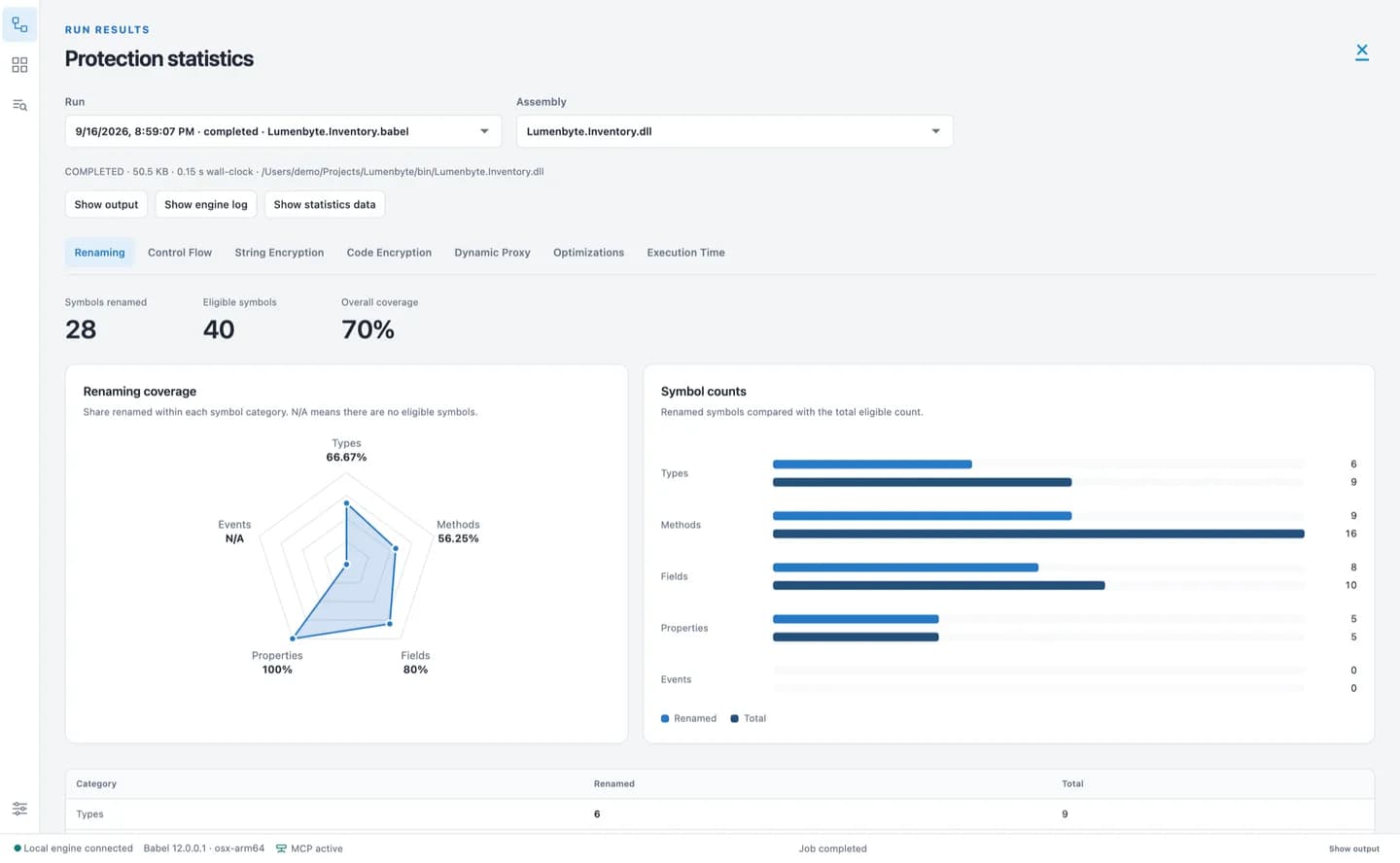
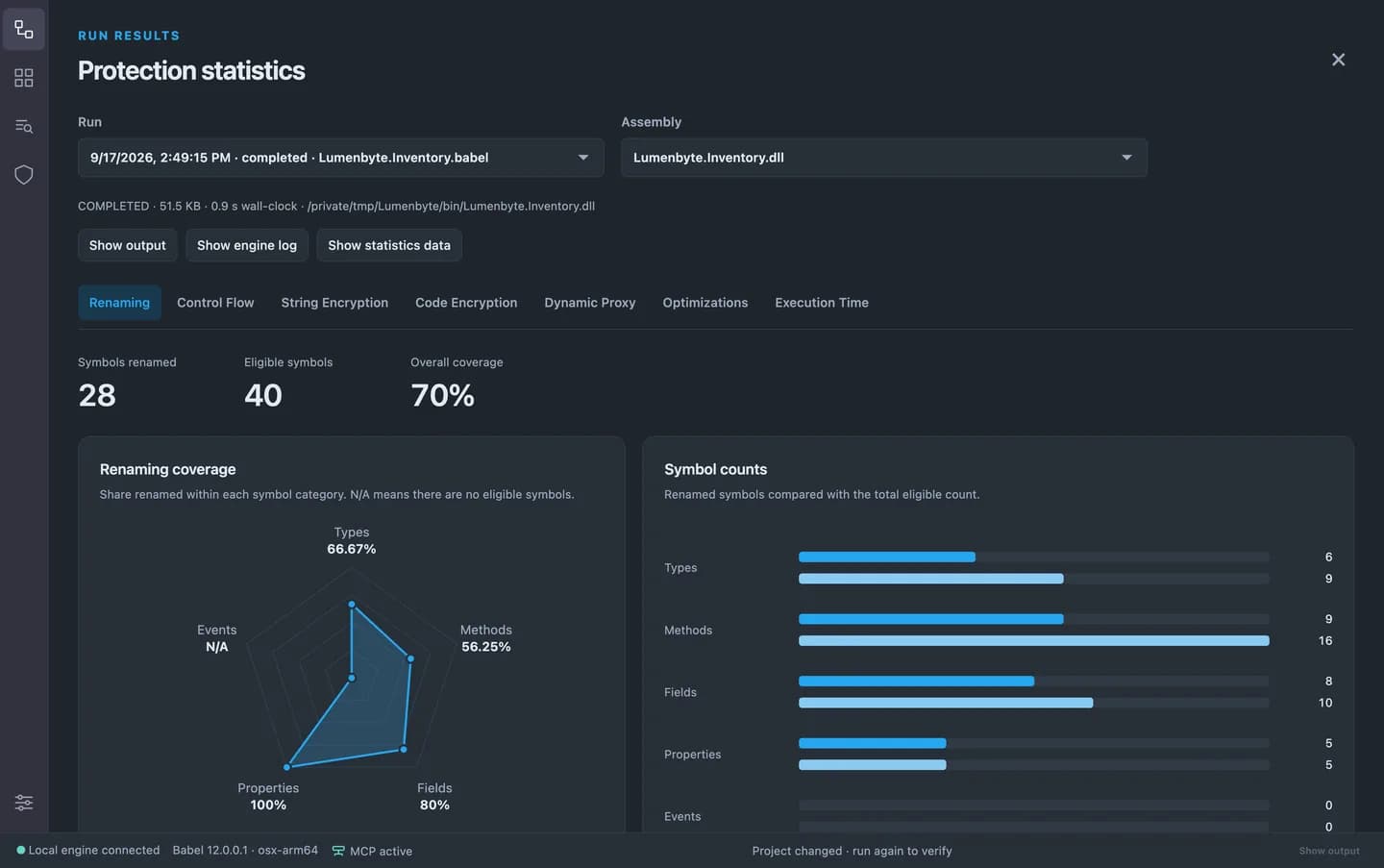
Rename types, methods, properties and fields while preserving the references your application needs. Use exclusion rules for public APIs, reflection and serialization, and keep map files for diagnosing production issues.
Read the documentation02 / BABEL OBFUSCATOR 12
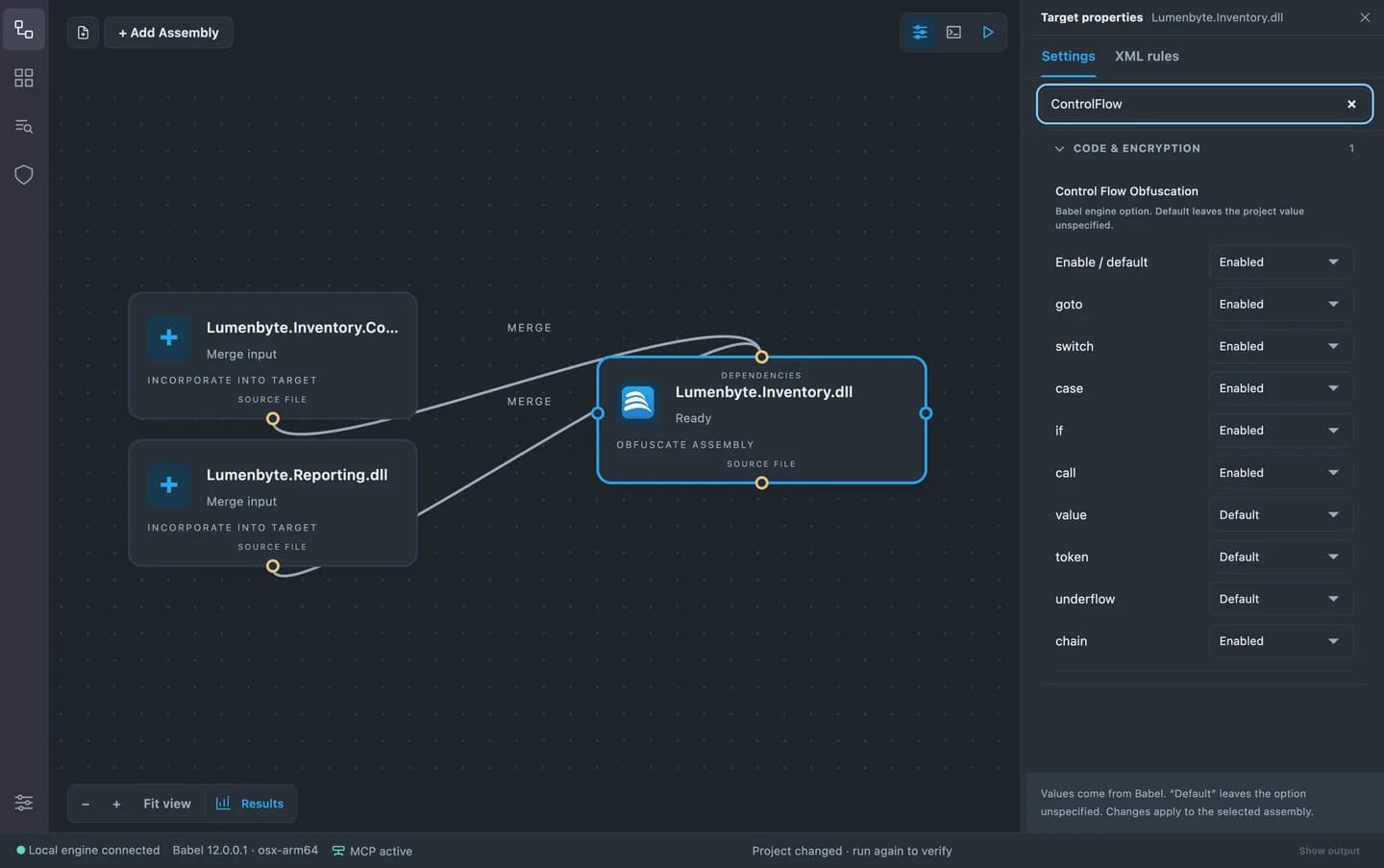
Transform method bodies without changing their intended behavior. Ultimate adds chain control flow in Babel 12, with chained-state dispatch and runtime state that complicates reconstruction of the original flow.
Read the documentation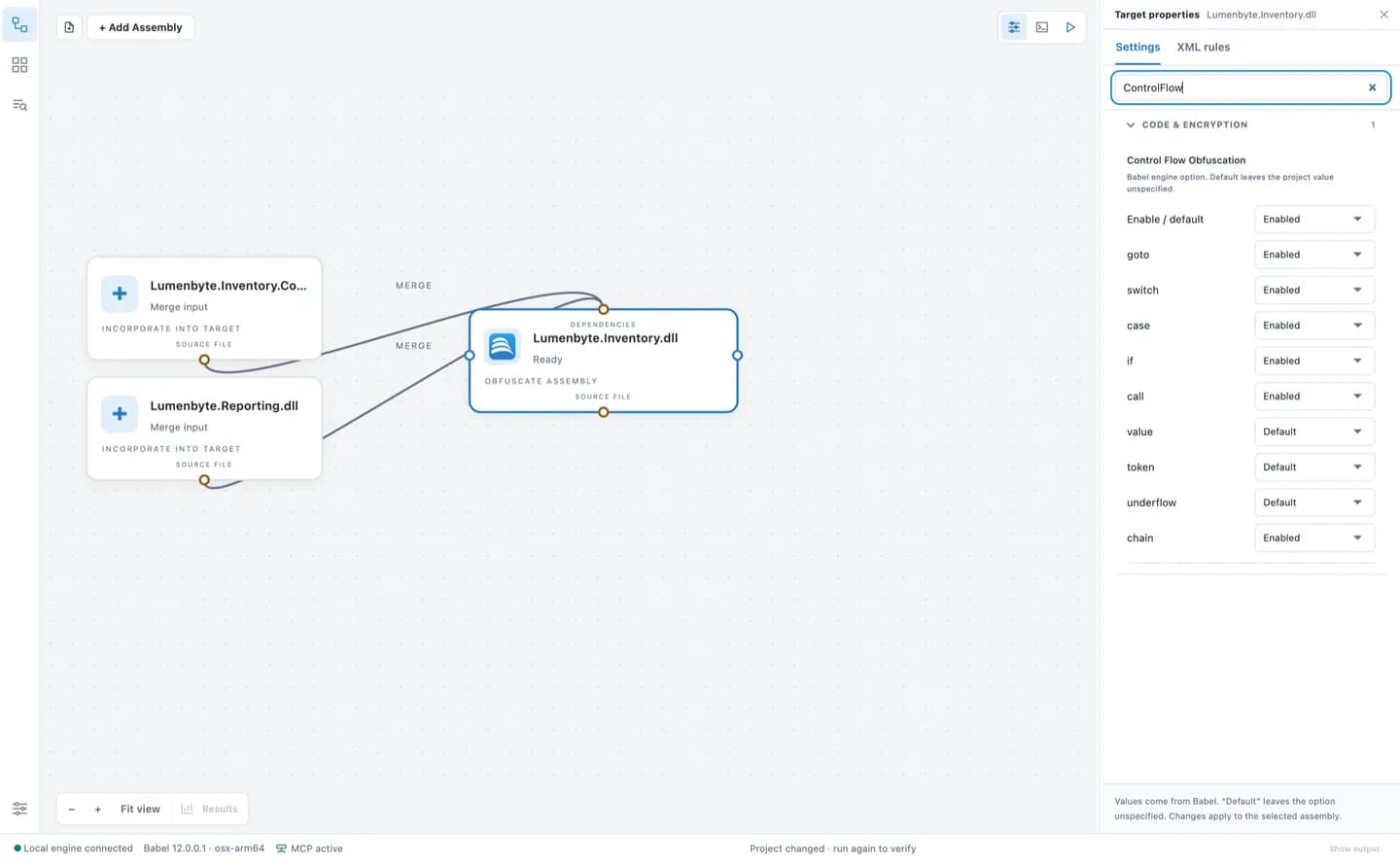
03 / BABEL OBFUSCATOR 12
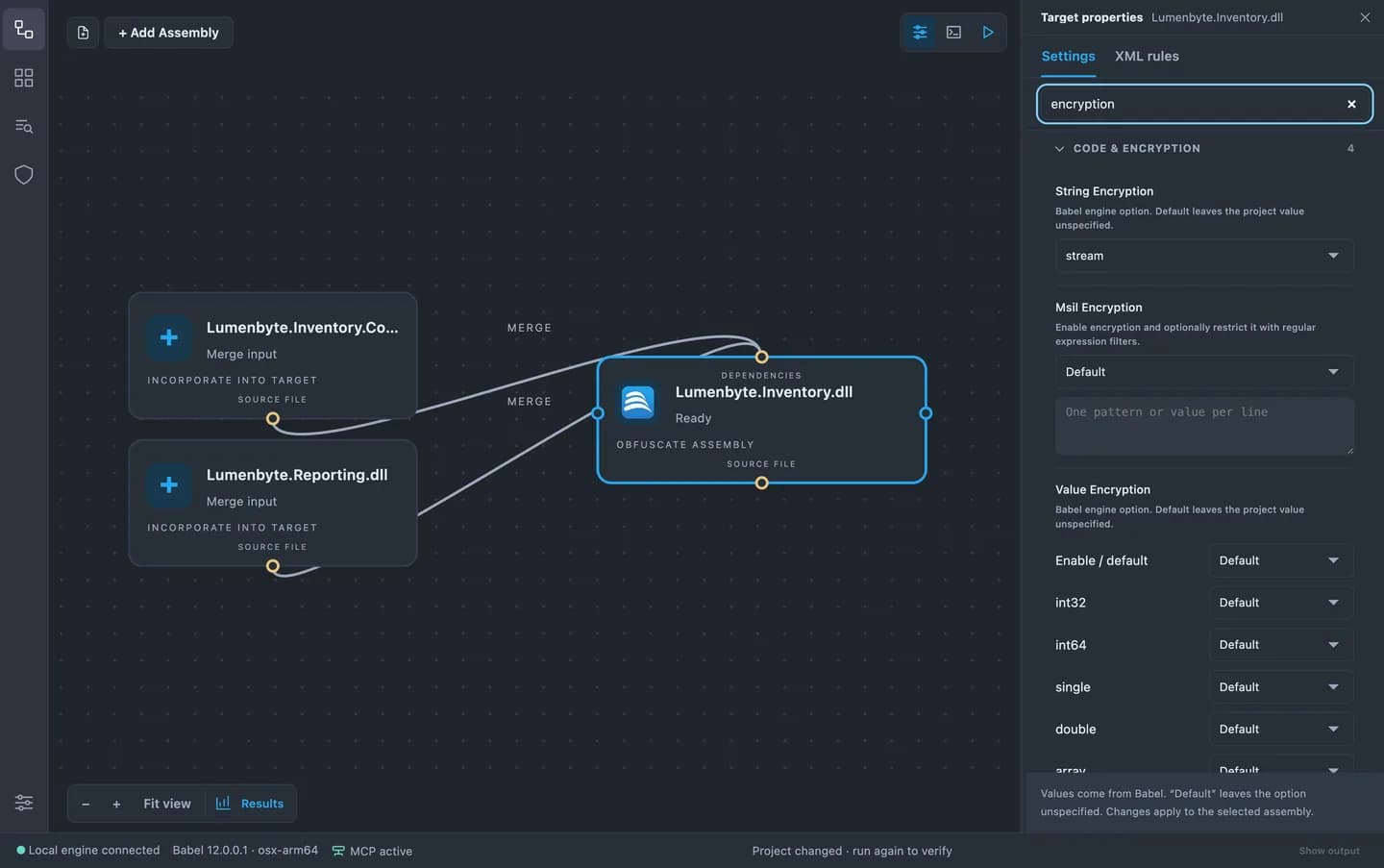
Encrypt strings, values, resources and MSIL code with controls that let you balance protection and runtime cost. Ultimate adds stream string encryption. Dynamic proxy introduces indirection around selected method calls.
Read the documentation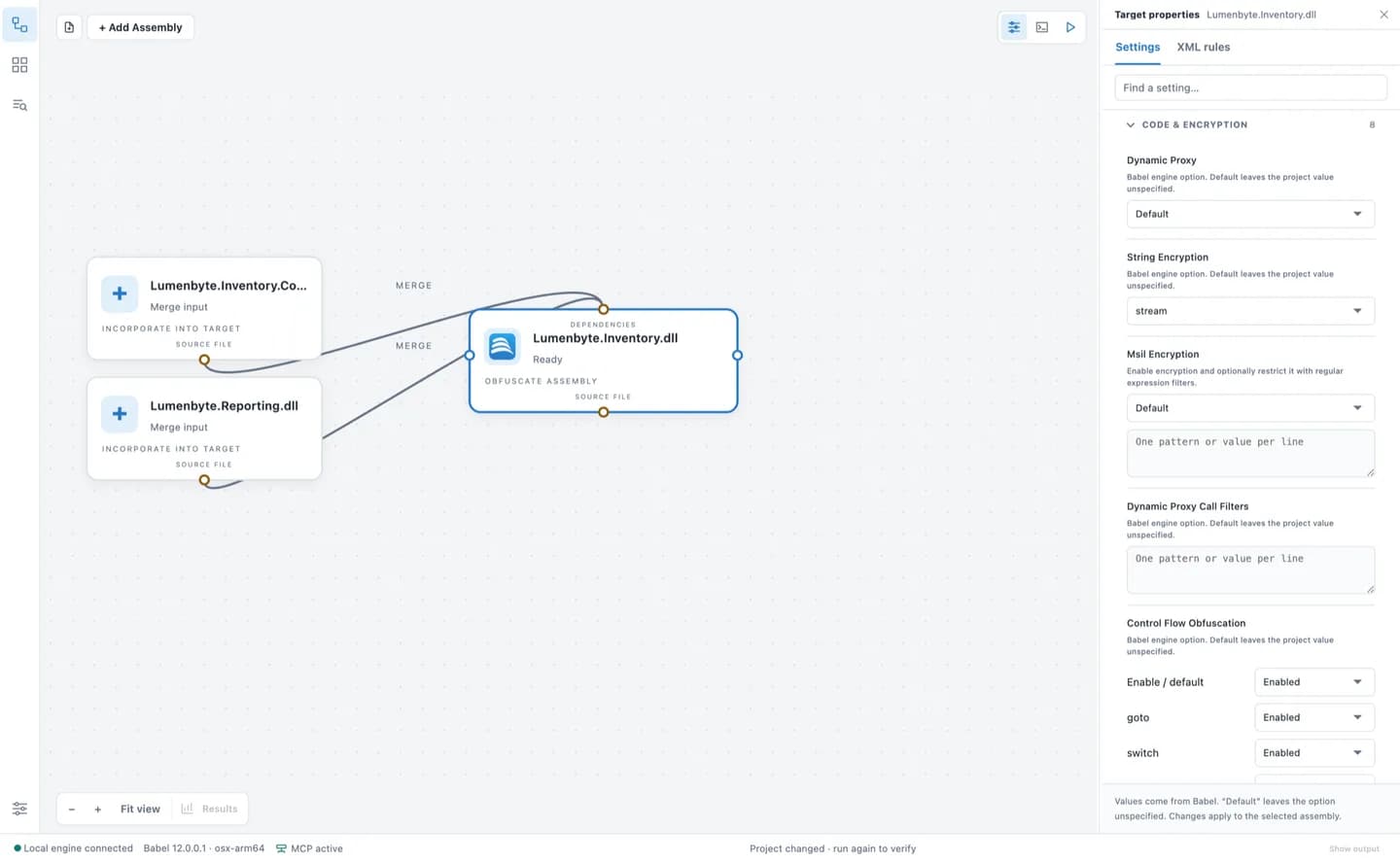
04 / BABEL OBFUSCATOR 12
Add anti-tampering checks to detect changed assemblies. Ultimate can also validate Android signing information and iOS bundle or team identity. These protections add checks to your application; they do not make reverse engineering impossible.
Read the documentation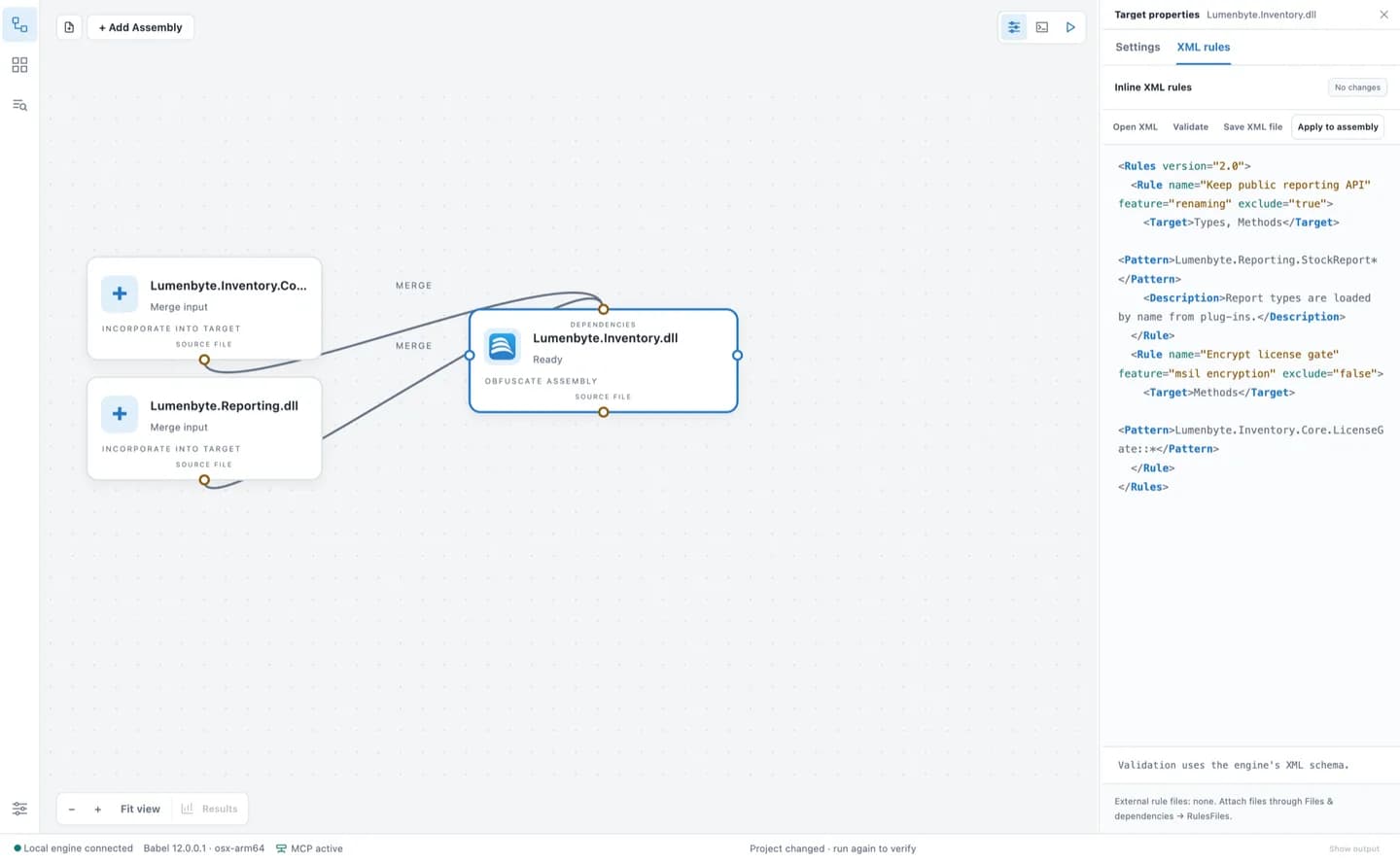
05 / BABEL OBFUSCATOR 12
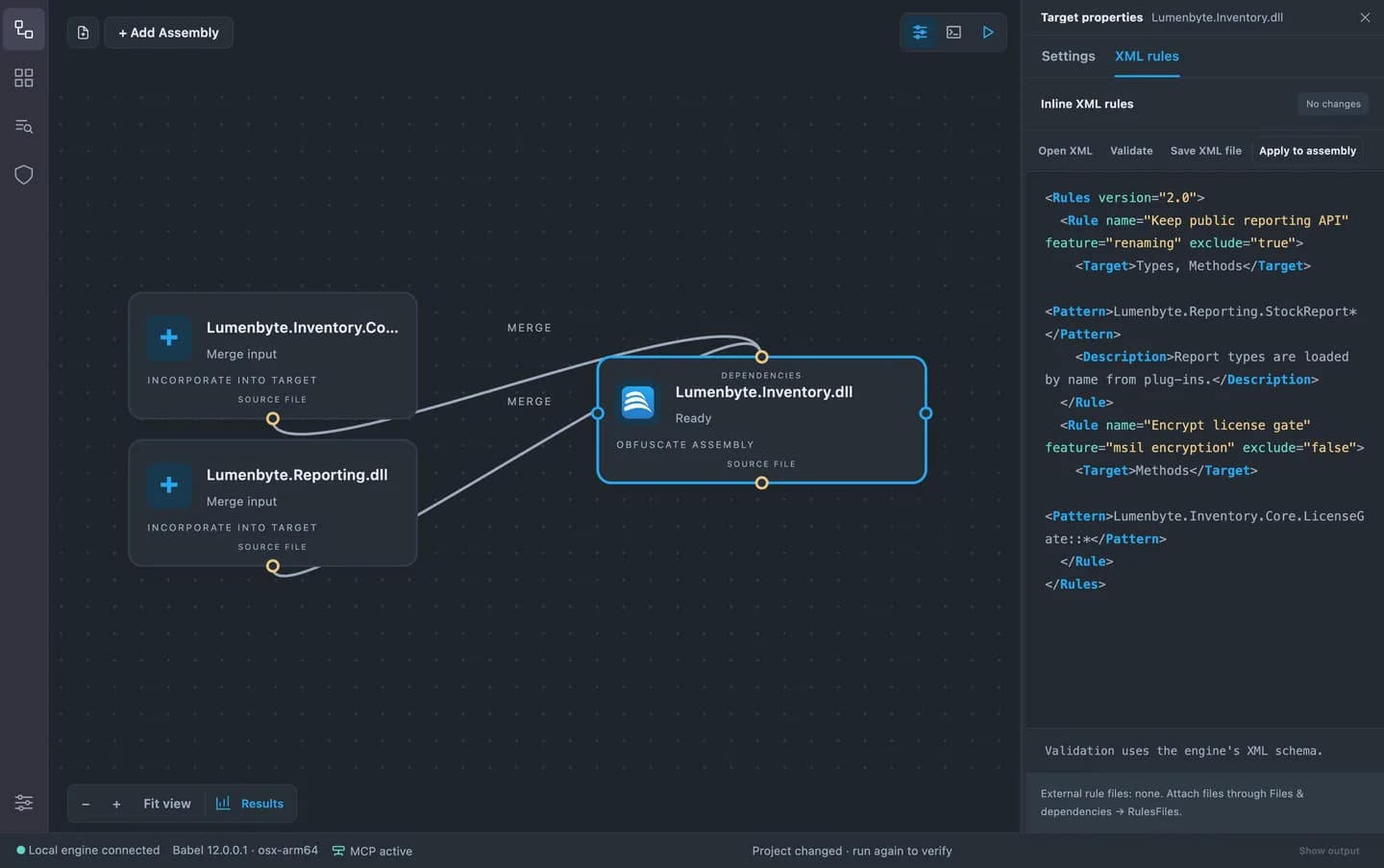
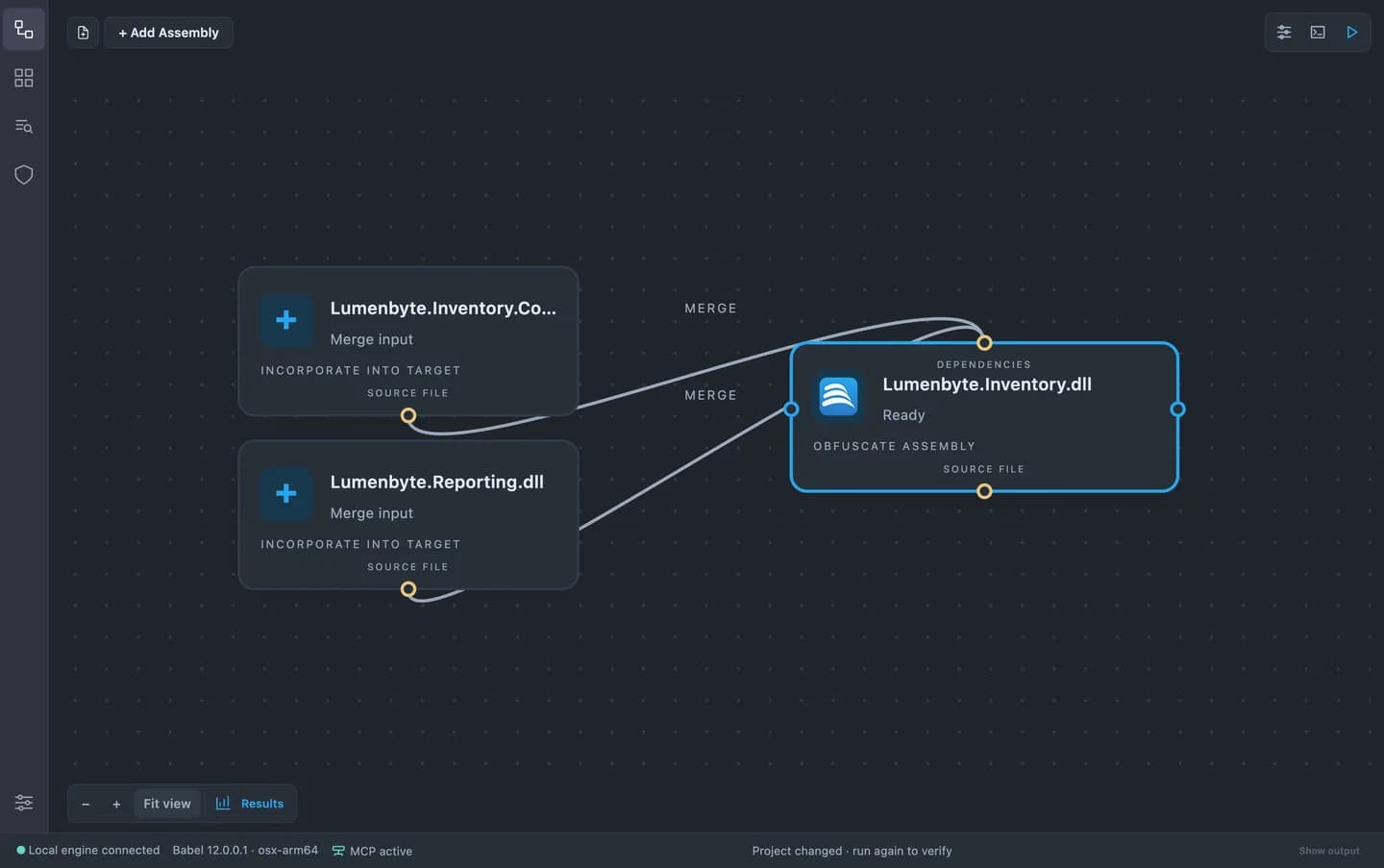
Merge or embed dependencies and configure cross-assembly references on the project canvas. Keep the project and its XML rules in source control, then use the CLI or MSBuild task in your build pipeline.
Read the documentation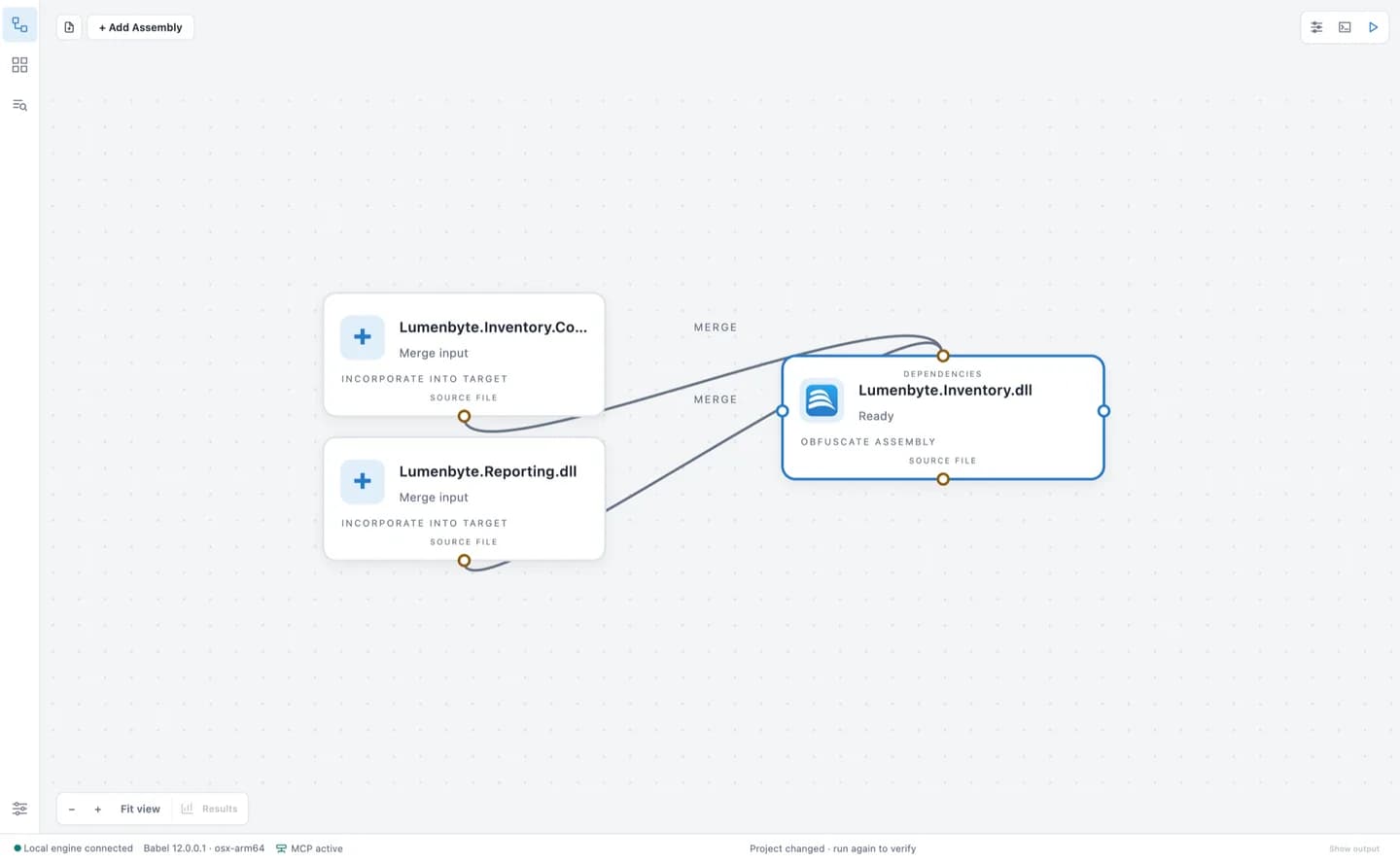
06 / BABEL OBFUSCATOR 12
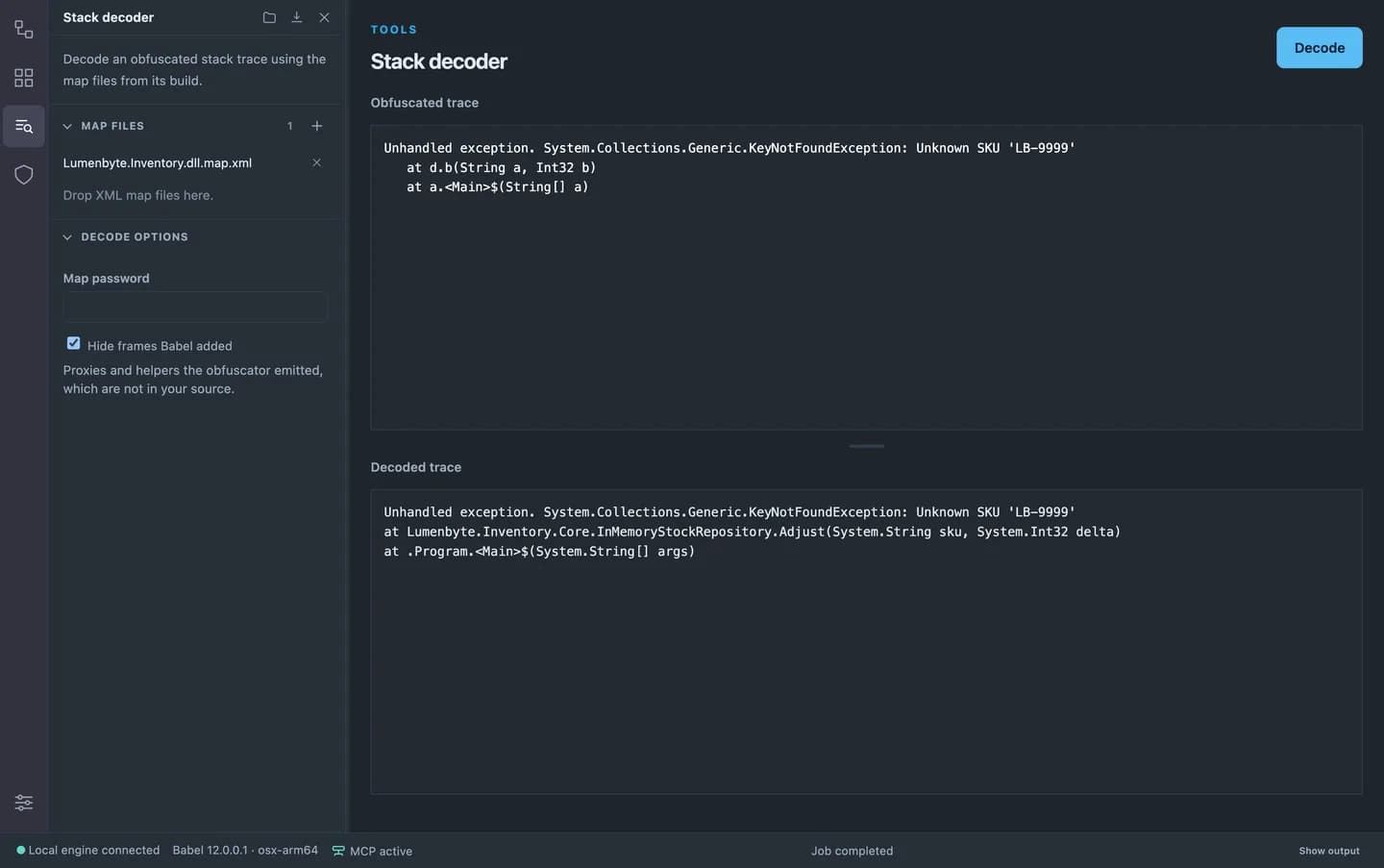
Use the original map file to decode a stack trace back to the names you know. Inspect warnings before shipping and review protection statistics after each run.
Read the documentation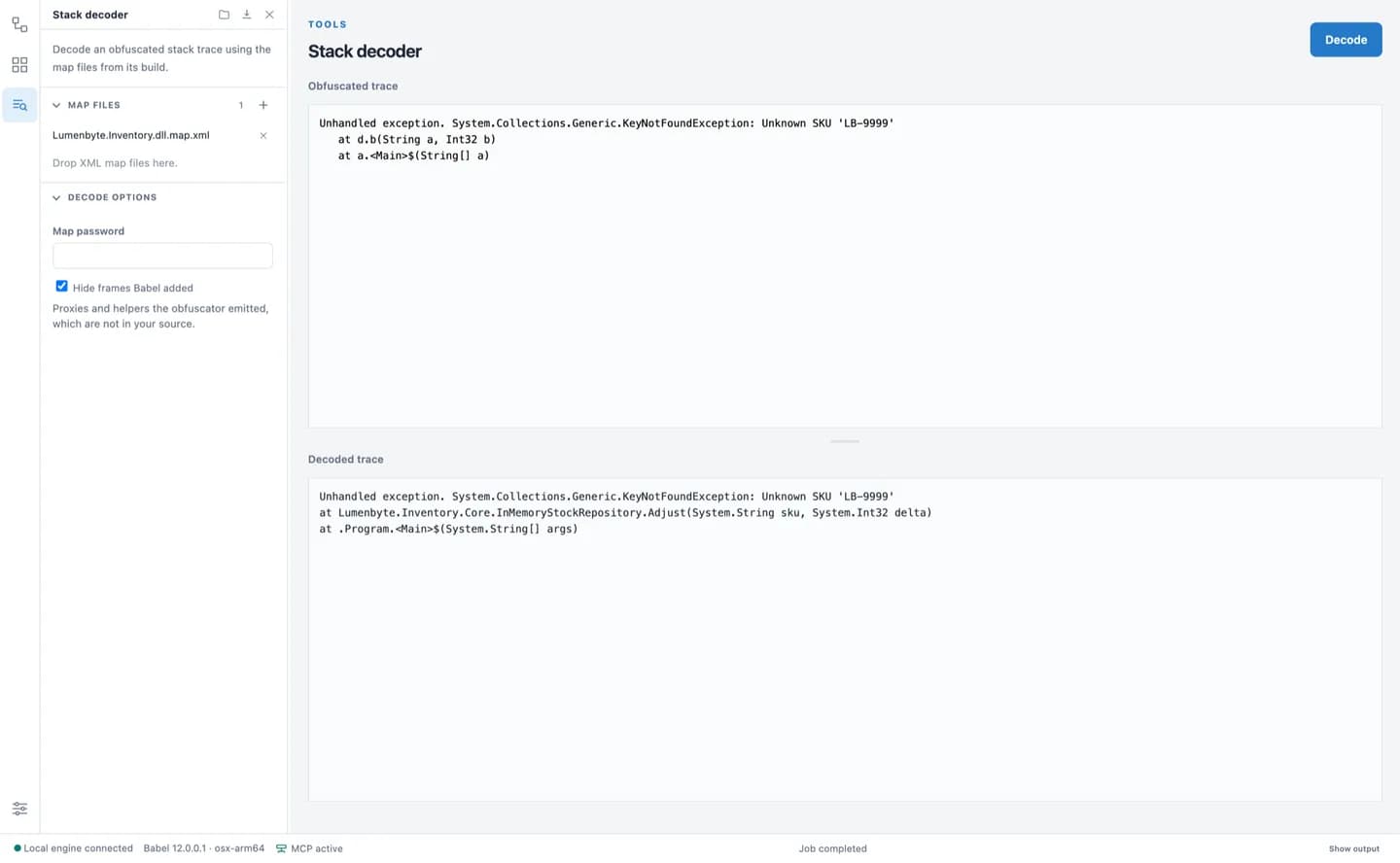
IN THE TOOLBOX OF TEAMS AT










START WITH BABEL
Try Babel Desktop, explore the tools, and choose the edition that fits your work.